Kitchen Casework – Hampton Bay
Make quick work of your next residential or commercial kitchen project with our free Hampton Bay kitchen casework Revit families. Expertly modeled for any view.
Kitchen Casework – Hampton Bay
Make quick work of your next residential or commercial kitchen project with our free Hampton Bay kitchen casework Revit families. Expertly modeled for any view.

Kitchen design in Revit can be one of the more time-consuming parts of a project. Getting the right cabinet configuration, coordinating with countertop shapes, and making sure everything reads clearly in plan, elevation, and 3D takes effort. The right Revit content cuts that time significantly.
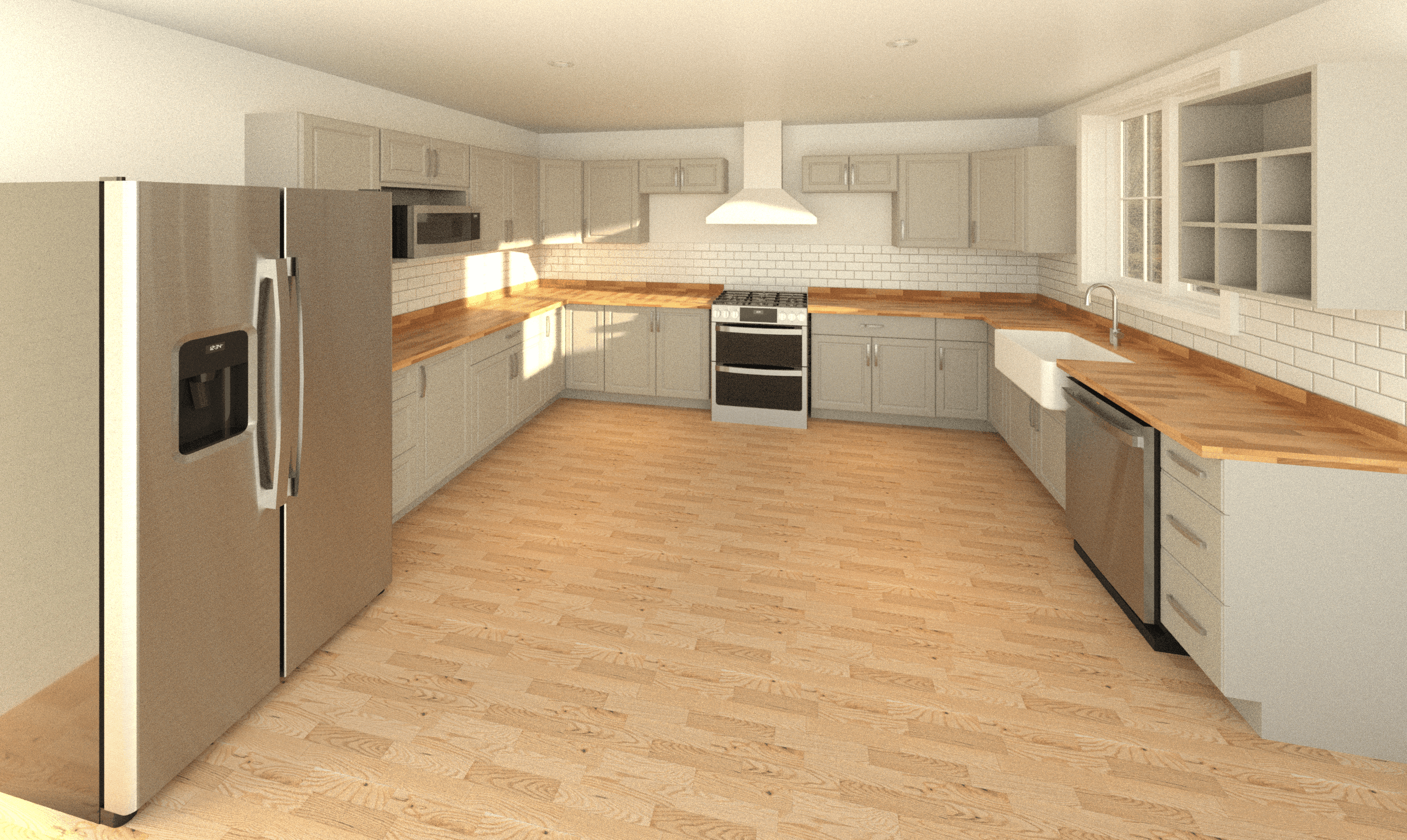

Our Hampton Bay kitchen casework collection is designed to facilitate efficient design, with beautiful views and clean documentation. The collection consists of a base cabinet, base corner cabinet, wall cabinet, wall corner cabinet, tall cabinet (pantry) and countertop families.

Hampton Bay is one of the most widely recognized kitchen cabinetry brands in North America, sold through The Home Depot. Their cabinets are found in everything from residential remodels to commercial fitouts, covering a broad range of styles and configurations.
Our free collection brings that same breadth directly into your Revit workflow. It is one of our most comprehensive in terms of design possibilities. Whether you're modeling a compact galley kitchen or a large open-plan layout, this Hampton Bay casework collection covers the configurations you'll actually need on a project.
Base and Wall Cabinets
The base and wall cabinet families cover the full range of standard configurations from Hampton Bay. All units follow manufacturer sizing, so your plans and elevations reflect real-world dimensions from the start. Cabinet dimensions are typically controlled by instance parameter which offers a large degree of flexibility in design.
Rather than loading a separate family for each cabinet style, every base and wall cabinet in this collection uses embedded types.
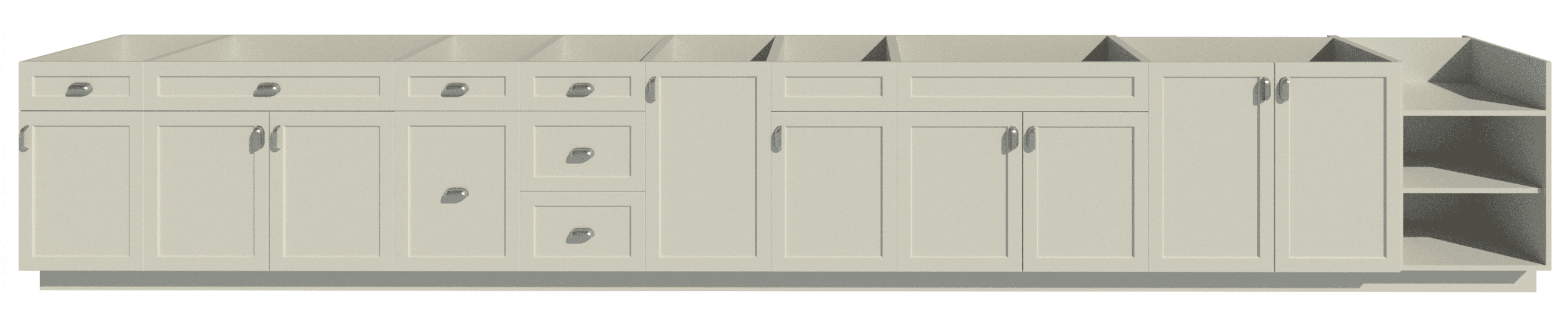
Available types from the single base cabinet family.
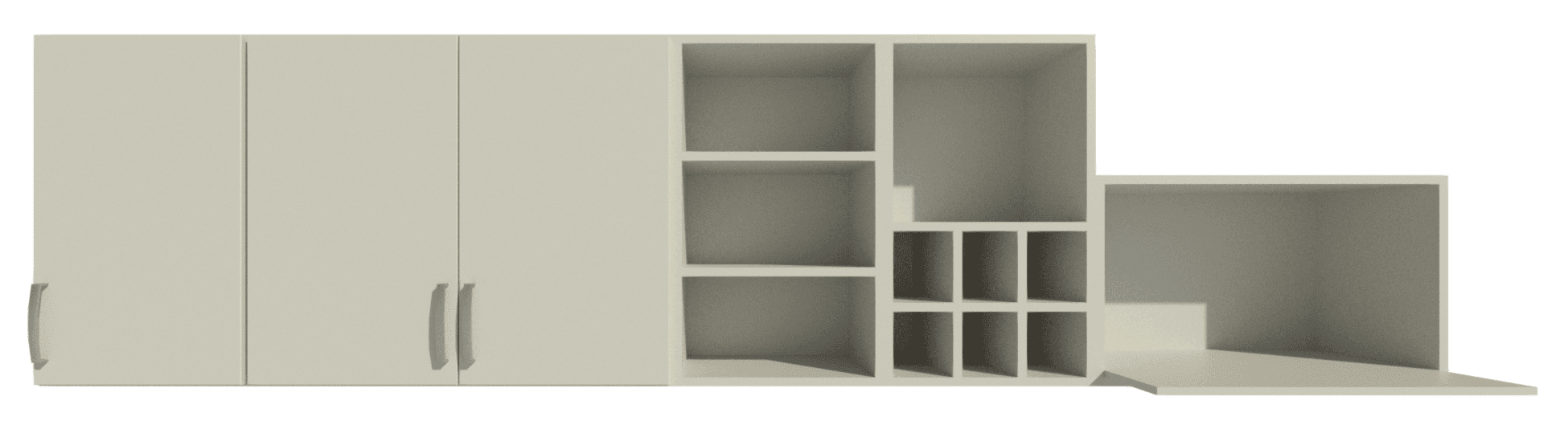
Available types from the single wall cabinet family.
Door Styles
All of the cabinets feature five panel designs from Hampton Bay: Melvern, Soleste, Edgeley, Elgin and Elgin Trim.
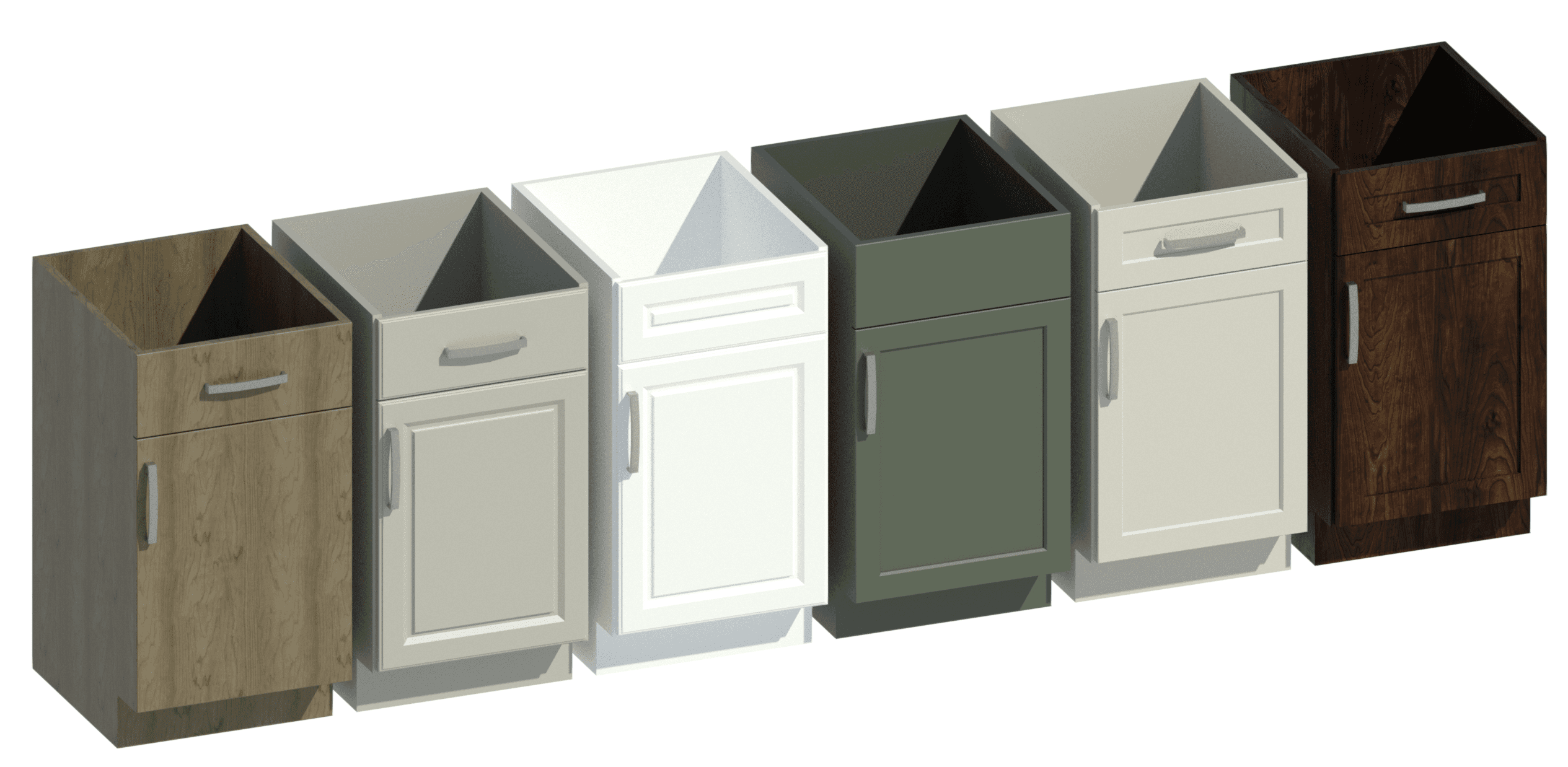
Multiple door styles combinations.
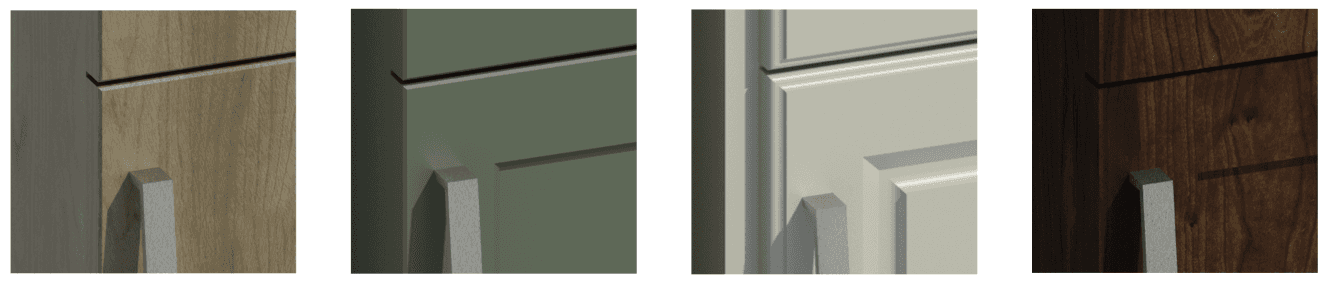
Door style trim detailing.
The cabinet families offer a separate door and drawer selection which means that you can mix and match, especially helpful for the units that would use a blind drawer.
Handles
There are three handle designs available: D Handle, Cup Handle and Knob.
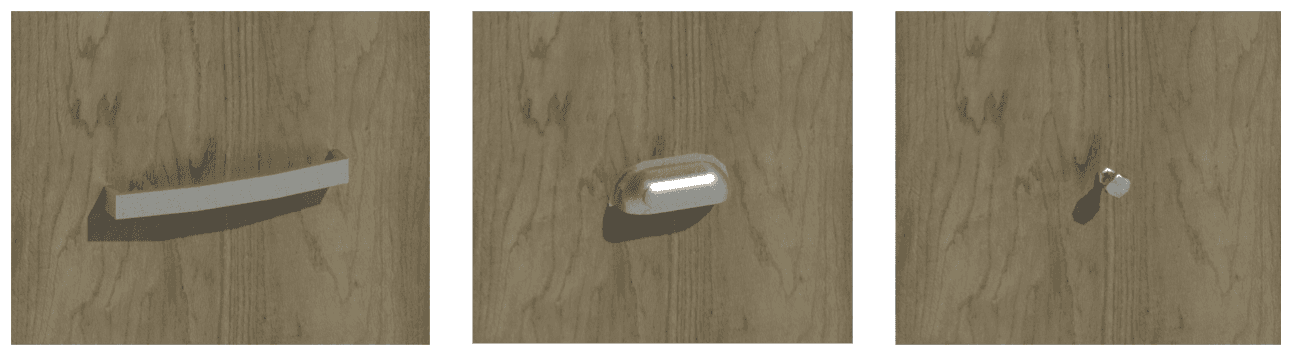
Both panel and handle can be swiftly changed across multiple type selection, offering quick design on a large scale.
2D Geometry
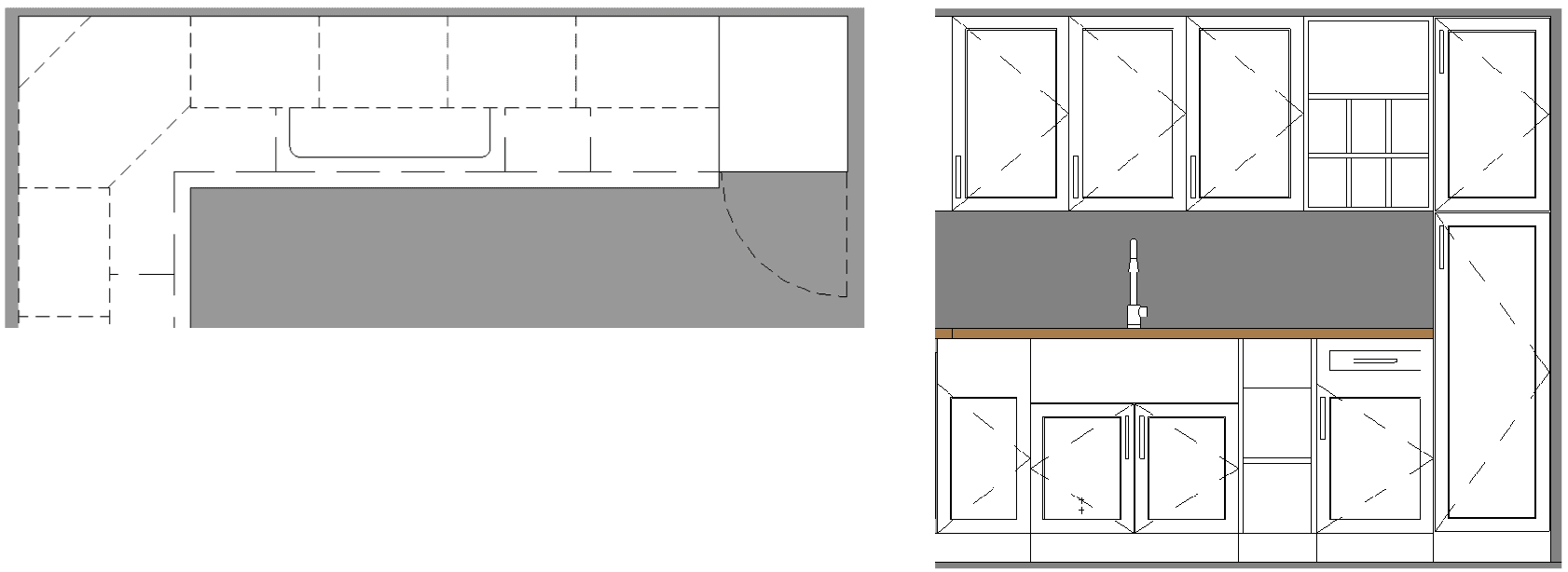
The families in our Hampton Bay kitchen casework collection use 2D geometry in plan and elevation. The plan view uses a detail item to mitigate an issue in Revit where cutting a family void into another family actually removes a masking region. This was a problem for any face-based sink cutting into the cabinet, in particular a farmhouse (Belfast) style which protrudes outwards and needs not only to cut into the countertop but also the cabinet.
There are independent subcategories for wall and base cabinets. This allows for clear visibility for both low and high level casework in a single plan view.
Service Void
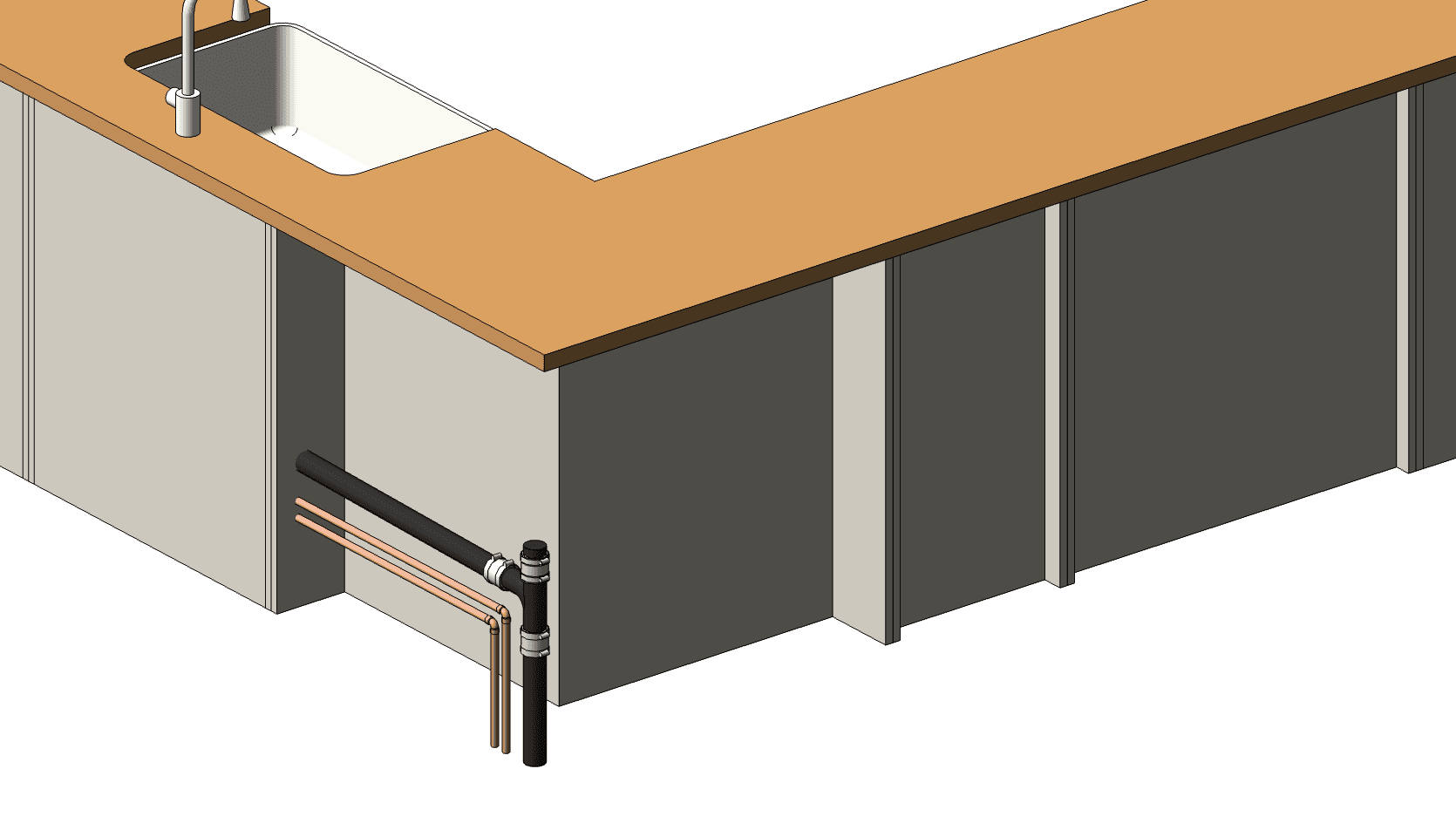
The base cabinet families contain a service void depth. This is set at zero by default, apart from the corner which has a service depth matching Hampton Bay specifications.
Top Panel Height
Both wall and base cabinets have a top panel height parameter. This value is set at default to suit Hampton Bay specifications, but can be customized per instance as needed.
Overlay & Inset Frame
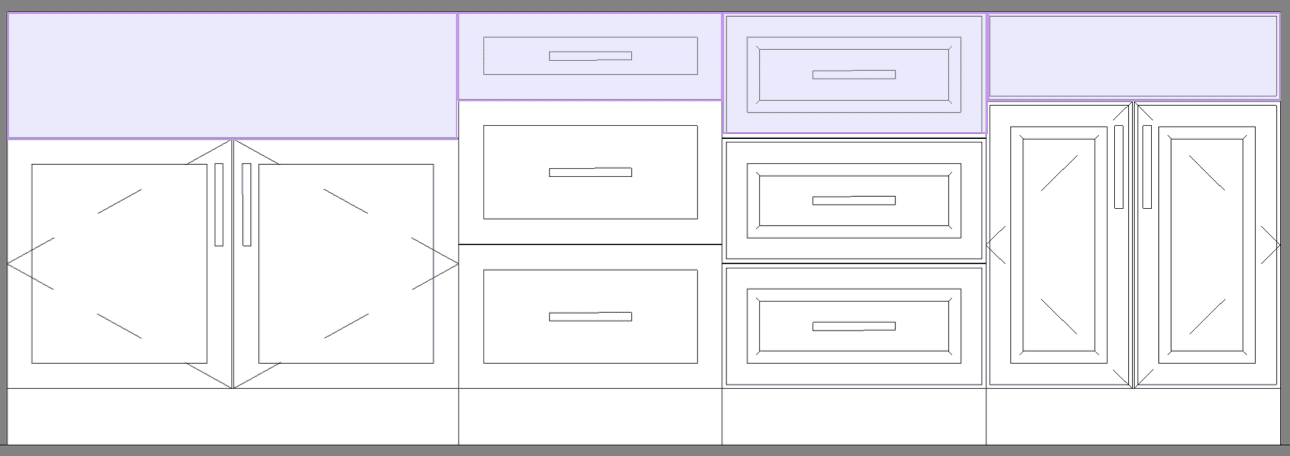
All cabinets feature an optional Overlay frame and additional Frame Inset value. Combined, these allow for more precise panel design.

Countertop
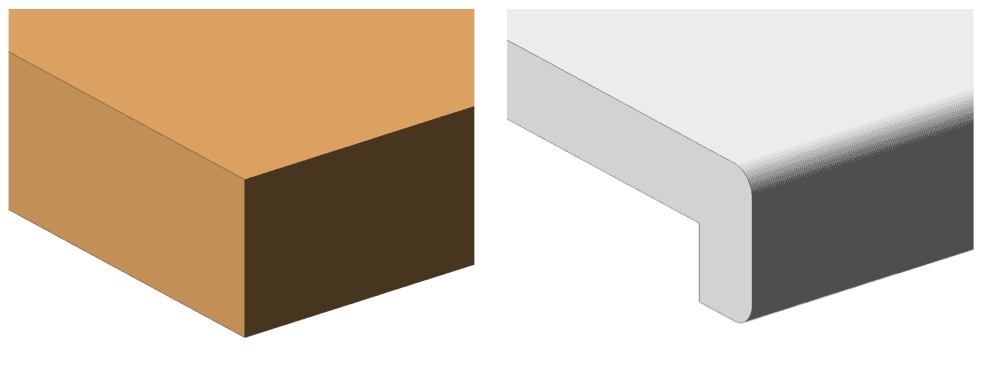
The countertop family includes 6 embedded types that cover the three most common kitchen shapes: straight, L-shape, and U-shape. Each shape is available in two edge variants:
Wrapped edge: Typically used with laminate countertop materials, where the edge wraps over the front face of the cabinet.
Straight edge: The cleaner profile associated with solid wood and stone countertops.
Choose your shape and edge finish from the type list and place directly, then stretch or align into position. There are also options for a backsplash with left- and right-edge wrapping.

Bringing it all together
Any two kitchen layouts are rarely the same, and that is exactly what this collection is built for. Between the base, wall, corner, and pantry tall cabinets, the five door styles, three handle options, and a countertop family that covers straight, L-shape, and U-shape runs, you can model almost any residential or commercial kitchen without leaving Revit or having to hunt down another family. The corner units and tall pantry close out the awkward gaps most layouts run into, so you are not left improvising at the ends of a run. Everything follows real Hampton Bay sizing, so what you draw matches what gets installed. Best of all, the entire collection is free to download, ready to drop into your next project today.
Collection Content List
Countertop
Base cabinet
Wall cabinet
Pantry tall cabinet
Corner base cabinet
Corner wall cabinet
Kitchen design in Revit can be one of the more time-consuming parts of a project. Getting the right cabinet configuration, coordinating with countertop shapes, and making sure everything reads clearly in plan, elevation, and 3D takes effort. The right Revit content cuts that time significantly.
Our Hampton Bay kitchen casework collection is designed to facilitate efficient design, with beautiful views and clean documentation. The collection consists of a base cabinet, base corner cabinet, wall cabinet, wall corner cabinet, tall cabinet (pantry) and countertop families.
Hampton Bay is one of the most widely recognized kitchen cabinetry brands in North America, sold through The Home Depot. Their cabinets are found in everything from residential remodels to commercial fitouts, covering a broad range of styles and configurations.
Our free collection brings that same breadth directly into your Revit workflow. It is one of our most comprehensive in terms of design possibilities. Whether you're modeling a compact galley kitchen or a large open-plan layout, this Hampton Bay casework collection covers the configurations you'll actually need on a project.
Base and Wall Cabinets
The base and wall cabinet families cover the full range of standard configurations from Hampton Bay. All units follow manufacturer sizing, so your plans and elevations reflect real-world dimensions from the start. Cabinet dimensions are typically controlled by instance parameter which offers a large degree of flexibility in design.
Rather than loading a separate family for each cabinet style, every base and wall cabinet in this collection uses embedded types.
Available types from the single base cabinet family.
Available types from the single wall cabinet family.
Door Styles
All of the cabinets feature five panel designs from Hampton Bay: Melvern, Soleste, Edgeley, Elgin and Elgin Trim.
Multiple door styles combinations.
Door style trim detailing.
The cabinet families offer a separate door and drawer selection which means that you can mix and match, especially helpful for the units that would use a blind drawer.
Handles
There are three handle designs available: D Handle, Cup Handle and Knob.
Both panel and handle can be swiftly changed across multiple type selection, offering quick design on a large scale.
2D Geometry
The families in our Hampton Bay kitchen casework collection use 2D geometry in plan and elevation. The plan view uses a detail item to mitigate an issue in Revit where cutting a family void into another family actually removes a masking region. This was a problem for any face-based sink cutting into the cabinet, in particular a farmhouse (Belfast) style which protrudes outwards and needs not only to cut into the countertop but also the cabinet.
There are independent subcategories for wall and base cabinets. This allows for clear visibility for both low and high level casework in a single plan view.
Service Void
The base cabinet families contain a service void depth. This is set at zero by default, apart from the corner which has a service depth matching Hampton Bay specifications.
Top Panel Height
Both wall and base cabinets have a top panel height parameter. This value is set at default to suit Hampton Bay specifications, but can be customized per instance as needed.
Overlay & Inset Frame
All cabinets feature an optional Overlay frame and additional Frame Inset value. Combined, these allow for more precise panel design.
Countertop
The countertop family includes 6 embedded types that cover the three most common kitchen shapes: straight, L-shape, and U-shape. Each shape is available in two edge variants:
Wrapped edge: Typically used with laminate countertop materials, where the edge wraps over the front face of the cabinet.
Straight edge: The cleaner profile associated with solid wood and stone countertops.
Choose your shape and edge finish from the type list and place directly, then stretch or align into position. There are also options for a backsplash with left- and right-edge wrapping.
Bringing it all together
Any two kitchen layouts are rarely the same, and that is exactly what this collection is built for. Between the base, wall, corner, and pantry tall cabinets, the five door styles, three handle options, and a countertop family that covers straight, L-shape, and U-shape runs, you can model almost any residential or commercial kitchen without leaving Revit or having to hunt down another family. The corner units and tall pantry close out the awkward gaps most layouts run into, so you are not left improvising at the ends of a run. Everything follows real Hampton Bay sizing, so what you draw matches what gets installed. Best of all, the entire collection is free to download, ready to drop into your next project today.
Collection Content List
Countertop
Base cabinet
Wall cabinet
Pantry tall cabinet
Corner base cabinet
Corner wall cabinet


Kinship
The best way to manage Revit content
Kinship
The best way to manage Revit content
Kinship
The best way to manage Revit content
Similar Articles
Never miss an update with our monthly newsletter
Get the latest company news, product updates, blog posts and free Revit content from Kinship. Delivered directly to your inbox no more than once a month.
By submitting your email, you agree to receive newsletter emails.
Support
Never miss an update with our monthly newsletter
Get the latest company news, product updates, blog posts and free Revit content from Kinship. Delivered directly to your inbox no more than once a month.
By submitting your email, you agree to receive newsletter emails.
Support
Never miss an update with our monthly newsletter
Get the latest company news, product updates, blog posts and free Revit content from Kinship. Delivered directly to your inbox no more than once a month.
By submitting your email, you agree to receive newsletter emails.
Support